

Over the last year, classroom tech has gotten a boost! Nearly every tool now comes AI-enabled, with the power to improve your workflow, generate new ideas, and make everything you produce look polished and professional. These AI-powered tools don’t just make teaching more efficient, they make it more creative and fun.
Whether you’re hoping to reclaim some planning time or unlock new kinds of student creativity, this year’s top tools have you covered. Let’s dive into the top tech tools for 2026 and how they can support your teaching.
Google Gemini
Google Gemini isn’t just another AI chatbot. What sets it apart is that it’s built right into your favorite Google apps like Docs, Slides, Sheets, Drive, Gmail, and Classroom (for AI add-on and Education Plus members). This means you don’t need to copy/paste back and forth from one tab to another. The AI helps you write, plan, organize, and design without leaving your Google Workspace. For busy teachers who rely on Docs, Slides, Sheets, or Gmail every day, that seamless integration can make Gemini a true classroom assistant.
Interested in learning more? Teaching Channel’s course 5381: Teaching with Google’s AI Tools will help you learn the ins and outs of Gemini, including NotebookLM, Google Vids, and Image Creation.
Custom Google Gems

Once you get comfortable prompting Gemini, the next step is creating your own custom AI assistant that actually knows your teaching role, grade level, curriculum, style, and even the files you upload. That’s exactly what Google Gems allow you to do!
Gems are personalized AI chatbots you build by giving Gemini instructions, examples, guardrails, and resources so it behaves the way you need it to. Teachers can create Gems that write lesson plans aligned to their standards, generate worksheets from their existing materials, or draft parent emails that match their communication style. You can even upload unit plans, pacing guides, rubrics, or anchor texts so your Gem can reference them when creating new content.
Gems also work in Google Classroom. Just create a Gem and assign it to your students. With Gems, teachers move from simply using AI to designing AI that works like a personal assistant.
If you’d like to explore what Gems can do, check out this helpful video overview. And if you’re curious to see ready-made Gems built specifically for teachers, check out the next tool on our list — EduGems!
EduGems

If creating your own Google Gem feels exciting but a little overwhelming, EduGems makes the process even easier by offering a growing collection of ready-made AI assistants built for classroom tasks. The EduGems library offers customizable Gems that generate standards-aligned lessons, scaffold reading passages, create exit tickets, draft IEP-friendly objectives, or offer leveled practice questions. You can borrow a Gem as-is, tweak it to suit your specific needs, or share your own creations with colleagues.
To get started, visit the EduGems website and open any Gem to see how it works. You can use it as-is or make a copy and customize it for your needs. When the Gem opens in Gemini, simply type “Hi” to activate it and begin working with your new assistant.
Notebook LM
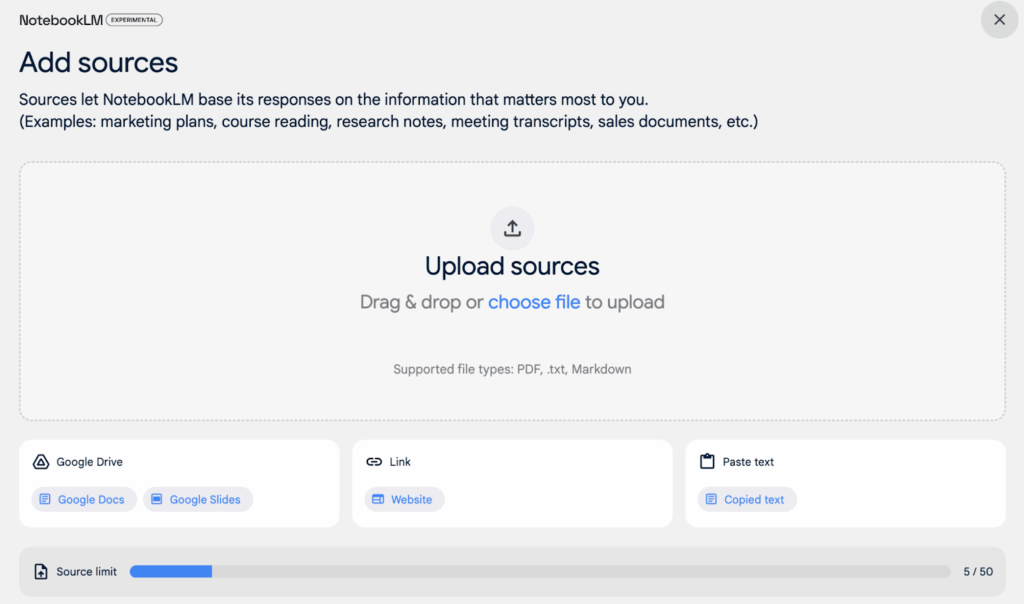
Teachers work with an enormous number of documents like PDFs, articles, unit plans, and curriculum resources. Reading, synthesizing, and implementing all of it can feel overwhelming, and sometimes you just need a quick answer or a simplified version you can use right away. That’s where NotebookLM can help! This free Google tool becomes an instant expert on whatever documents you upload, creating summaries, study guides, and student-friendly resources drawn directly from your materials. It can answer questions, pull out key concepts, and even help students understand complex texts more independently. As a bonus, NotebookLM can generate interactive podcast-style interviews and video summaries.
Google Vids
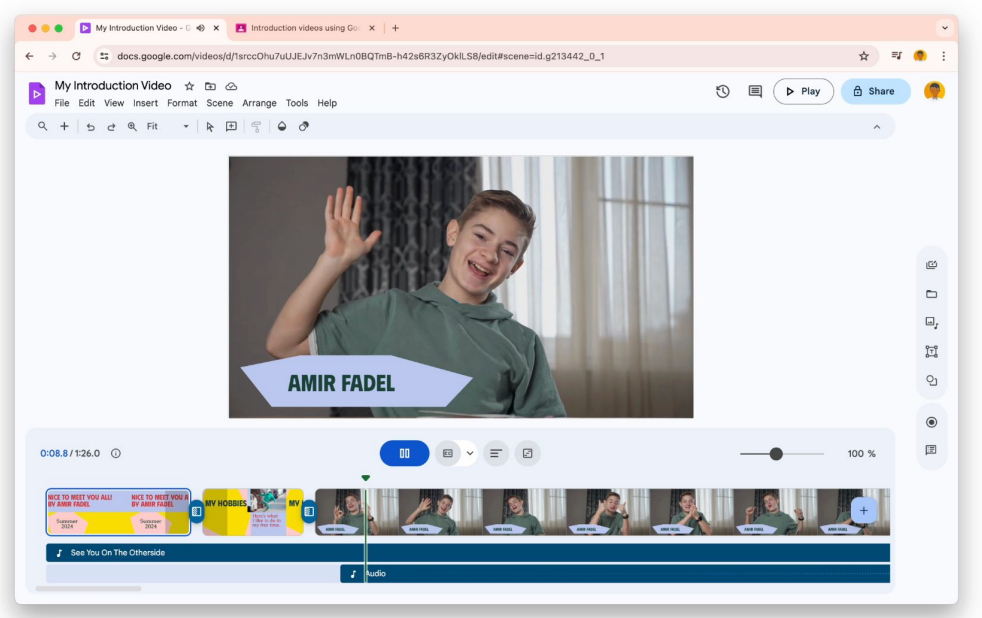
With student attention spans shrinking and instructional minutes more valuable than ever, teachers need tools that can help them deliver content that sticks. Google’s newest creation, Google Vids, does exactly that! Teachers can craft engaging, professional-looking videos in minutes. Designed like Google Slides and powered by Gemini, Vids makes it easy to convert images, text, and presentations into dynamic videos up to 10 minutes long. And because it lives within the Google ecosystem, your finished videos are automatically stored and shareable in Drive. Plus, Vids is great for students, too, giving them an easy way to create short videos to explain their thinking, reflect on learning, or present projects.
Sodaphonic
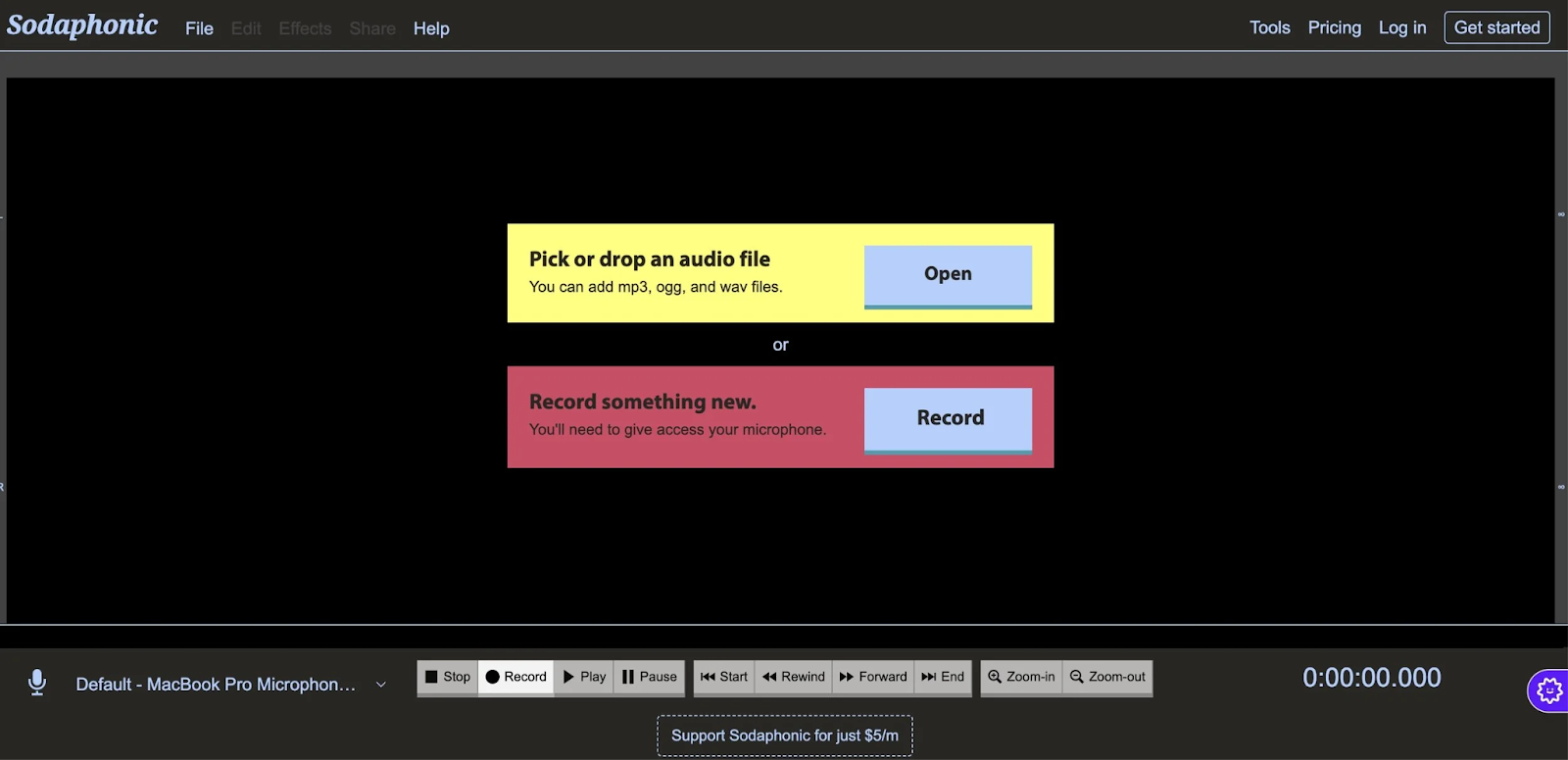
Sodaphonic is a simple, browser-based audio editor that makes recording and editing sound super easy. There are no software downloads or logins required, so teachers and students can jump right in to record voice clips or upload audio, then trim, cut, fade, or rearrange segments. It works on any device and is perfect for classroom projects like podcasts, reading fluency recordings, music mixes, oral presentations, or audio feedback. Because it’s free and incredibly easy to use, Sodaphonic is one of the most accessible ways to bring audio creation into the classroom.
Suno
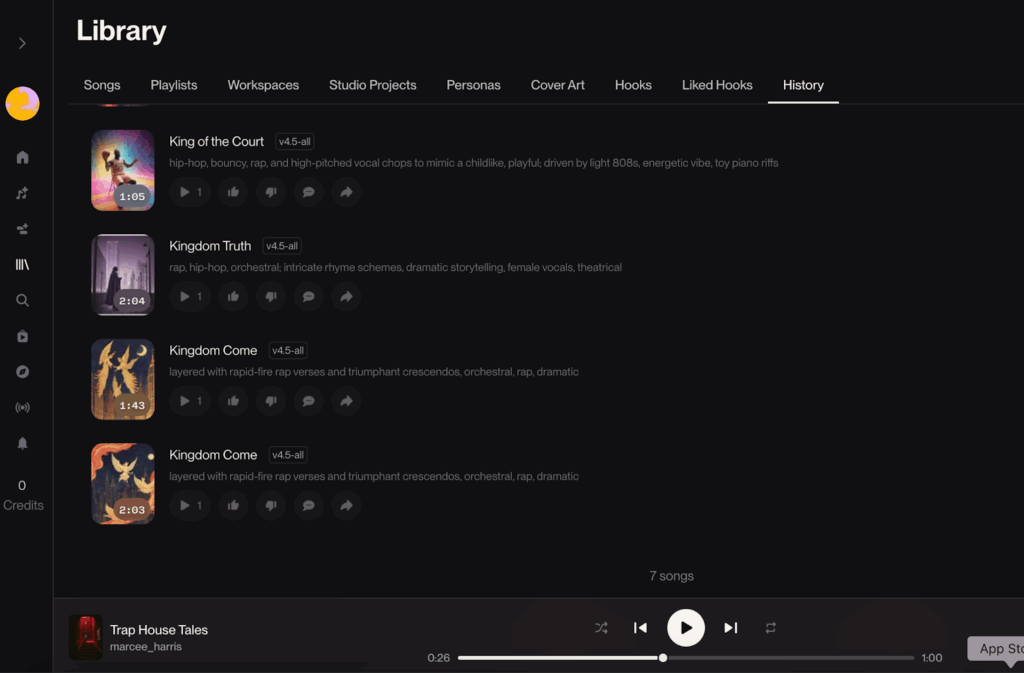
Suno makes it easy for teachers and students to create original, high-quality songs. No instruments or music skills required! Just describe the style, mood, or topic, and Suno generates a complete track with melody, vocals, and instrumentation. Pair it with Gemini or ChatGPT to draft lyrics tied to your curriculum (like a water cycle song or a vocabulary rap), then drop those lyrics into Suno to bring them to life. It’s a fun, memorable way to reinforce content and engage learners through music.
Sketchpad
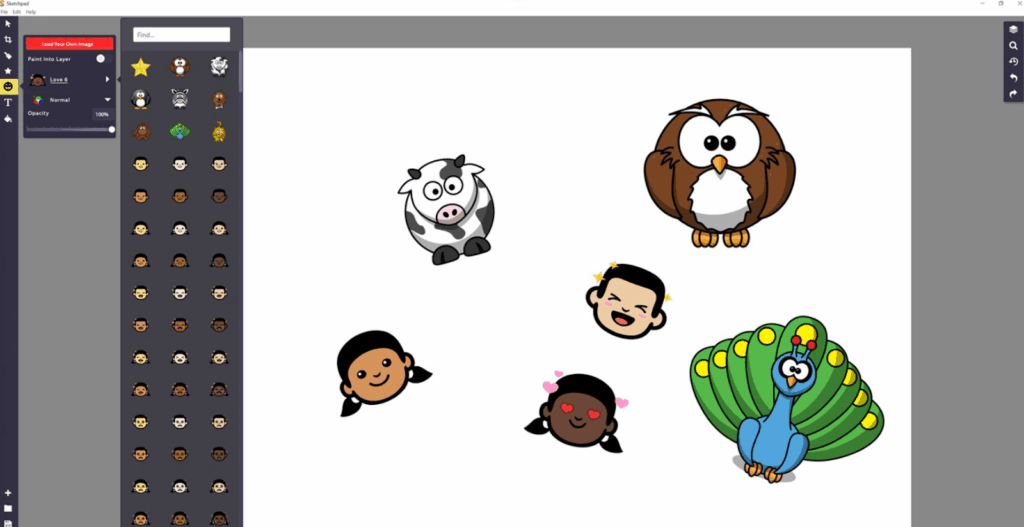
Sketchpad, a versatile digital canvas, is a game changer for classrooms. No logins, no setup, and no complicated instructions are needed to get started. The browser-based tool is simple enough for early elementary students to use independently, but powerful enough for older learners to create polished digital work.
With built-in tools for drawing, painting, shapes, text, and thousands of graphic elements, students can design everything from science diagrams and math models to digital posters, comics, book covers, and infographics. Because it runs on any device and lets users export their work as JPEG, PNG, or PDF files, Sketchpad is a seamless way to bring visual creation into lessons across all subject areas.
Classroom Zen
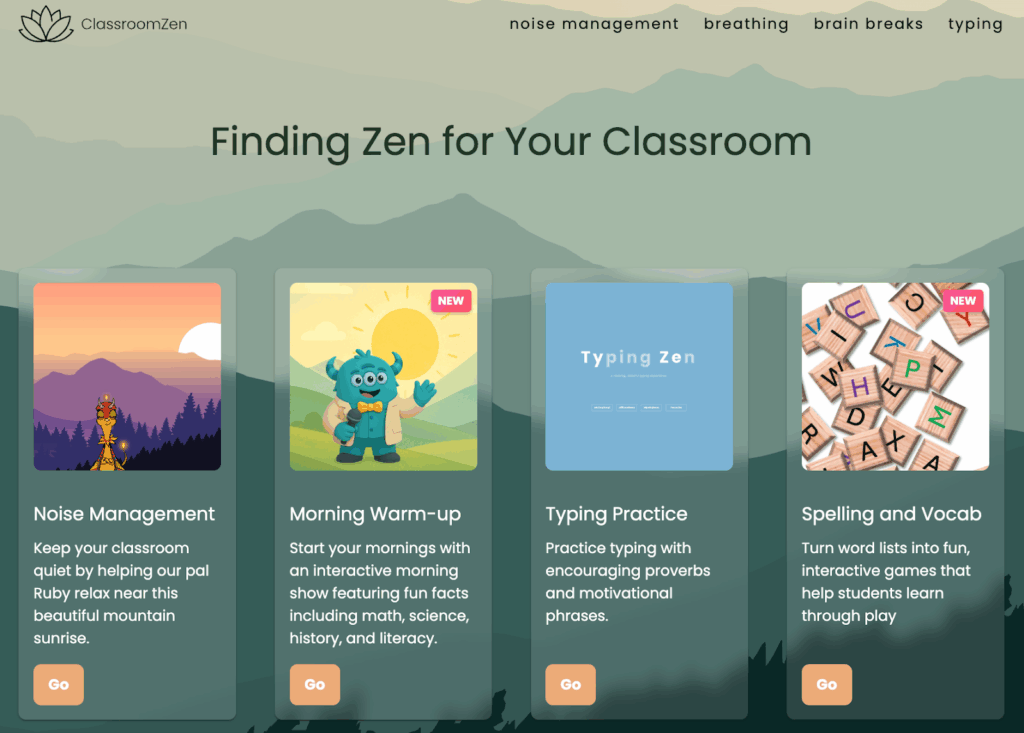
For those moments throughout your day when calm is needed, try Classroom Zen! This free site helps teachers create a quieter, more focused learning environment with simple, visual tools students love. There are breathing exercises to help learners pause and reset, quick Brain Breaks to focus attention, and a Noise Manager that gently alerts the class when things get too loud.
Whether you use it during transitions, work time, or moments when students feel overwhelmed, Classroom Zen makes mindfulness easy to build into the day and helps bring your class back to a peaceful state.
One more, non-tech tip to round out our list!
With so many powerful digital tools at our fingertips, it’s easy to forget that some of the most meaningful learning comes from simple moments like jotting an idea on paper or talking through a problem with a partner. Paper and pencil tasks invite students to slow down, sketch, plan, and think. Conversation helps them process ideas, build relationships, and learn from one another. Technology is a helpful support system, but connection, dialogue, and hands-on thinking will always be our most essential tools. Sometimes the best “tech” in the classroom is still a notebook, a pencil, and a circle of students ready to share.
About the Author

Marcee Harris is the Director of Curriculum and Instruction at Teaching Channel. She holds a B.A. in Elementary Education and Sociology, as well as an M.A. Ed. in Education. Marcee specializes in curriculum development, maintaining and updating our course catalog, and partners with her Teaching Channel teammates to ensure customer success. Marcee is our resident expert for everything related to EdTech and the Science of Reading.
Fun Fact: Marcee used to be a professional cheerleader!