

Teachers are always looking for ways to make lessons more interactive without creating more work for themselves. For Marieum Ahmad, a second-year teacher in Eastvale, California, the ViewSonic IFP41 ViewBoard and myViewBoard software helped do exactly that.
Rather than standing at a computer and moving through slides, Marieum uses the ViewBoard to interact directly with lessons, student work, and classroom discussions. From math exit tickets to ELA annotations, the ViewBoard has become a tool for helping students share their thinking, learn from one another, and participate more actively throughout the school day.
Here’s what Marieum had to say about using the ViewSonic ViewBoard.
How did you use the ViewBoard in your classroom?
In math, students complete cool-down exit tickets on their Chromebooks. I can display individual student exit tickets on the ViewBoard and give feedback directly using the writing tools. Students can see different approaches, self-correct, coach one another, and clarify their thinking. They can also come up to the ViewBoard and use the writing tools to draw models or show how they solved a problem.
This has really supported a classroom culture where students are both teachers and learners. Instead of feedback always coming from me, students have opportunities to explain, question, coach, and learn from one another.
In ELA, I use the ViewBoard to display texts and model annotation. I can highlight, annotate, and demonstrate my thinking in real time. Then I can release that responsibility to students so they can interact with the text themselves and demonstrate their thinking for the class.
How did the ViewBoard change the way students participated?
Our math cool-down exit tickets are probably the clearest example. Students complete an exit ticket on their Chromebooks, and previously, I would collect and grade them before returning them and addressing questions. With the ViewSonic IFP41, I can bring up individual student responses and use them as the starting point for our discussion.
I can give feedback directly on the work, and students can interact with what they see. They can self-correct, explain their strategy, coach a classmate, or ask questions about something they notice.
The writing tools are also especially useful because students can draw models and show their mathematical thinking directly on the screen.
It has shifted the purpose of the exit ticket from simply being something I grade to something we can learn from together. Students see that their thinking can become part of our class discussion, and they have opportunities to learn from one another.
How did students react to the ViewBoard?
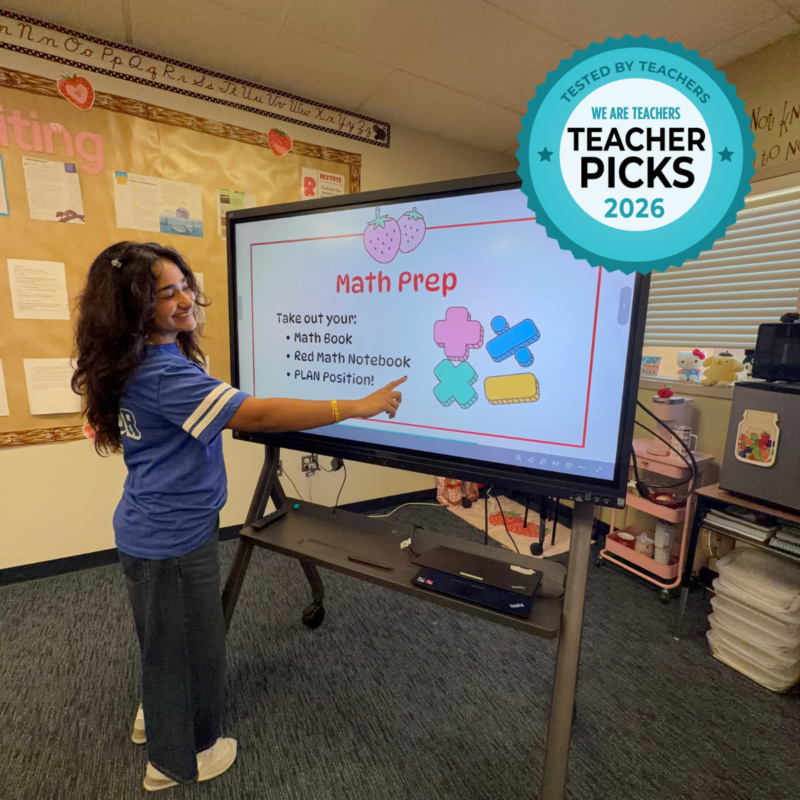
Students were immediately excited about being able to interact directly with the learning.
What stands out to me is that their excitement is not just about getting to use new technology. They genuinely enjoy being able to come up, show their thinking, correct their work, and explain something to their classmates.
I have noticed that students are more willing to participate when they know they have an opportunity to demonstrate their thinking rather than simply watch me model it.
How easy was it to implement on a scale of 1 to 5?
5 out of 5.
Once I became familiar with the ViewSonic IFP41, I found it straightforward to use. One of the biggest advantages for me is that I can use materials I already have and make them interactive rather than having to create everything from scratch.
The ability to write, annotate, draw, and have students interact directly with the content makes it easy to incorporate into the flow of a lesson.
Which myViewBoard software features became most useful?
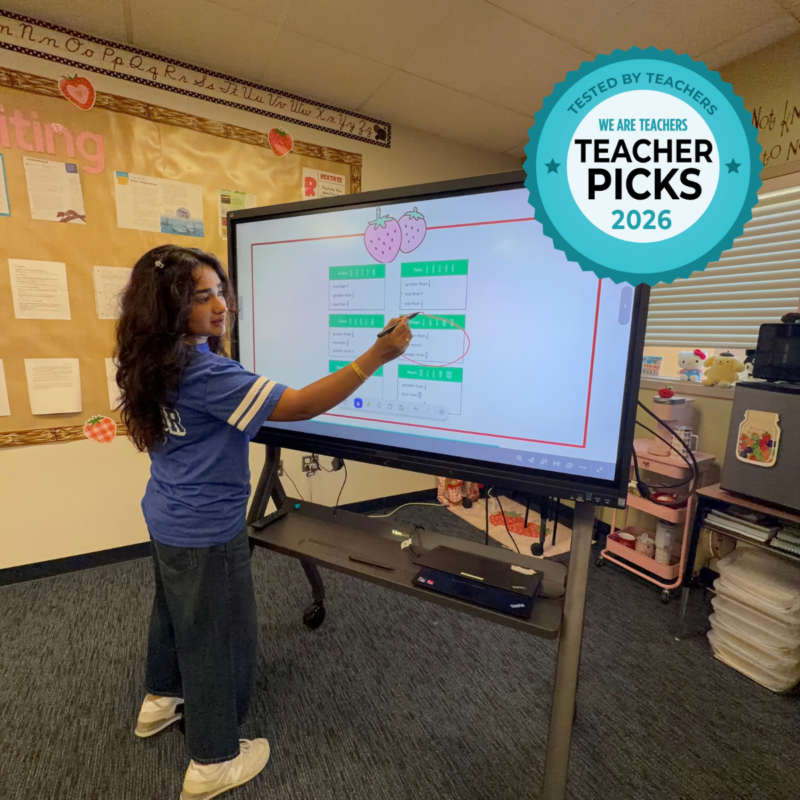
The ability to write directly on the screen has been especially useful for math and ELA. In math, I can write out or draw a student’s thinking and use their work to guide discussion. In ELA, I can annotate a text, highlight evidence, and model my thinking for students.
What I appreciate most is how these tools allow me to move from teacher modeling to student participation without interrupting the lesson.
How does the ViewBoard save time and make teaching easier?
It has made it easier for me to respond to student thinking in the moment.
With math exit tickets especially, I can quickly move between student responses and address misconceptions or questions without having to wait until after I have returned the work.
It also allows me to use student work as the lesson itself. If I notice an interesting strategy, misconception, or question, I can bring that work up and address it immediately. I do not always have to create a separate example because the students’ actual thinking can become the example.
Watch Marieum’s video review of the ViewSonic IFP41 ViewBoard:
Looking for a More Interactive Way To Teach?

Check out the ViewSonic IFP41 ViewBoard and discover how it makes everyday lessons interactive while giving students opportunities to share their thinking.

Teacher Picks is a sponsored program available from We Are Teachers. All opinions shared in the review are honest and based on the teacher’s direct experience. To learn more about our guidelines and review process, click here.